
WHAT ARE CITATION IDENTIFIERS
Citation identifiers (CIDs) are any text you want to be included in your citation. You can use the CID feature to add additional Persistant Identifiers (PIDs) to your profile or instrument entry, such as DOI, ePIC, or b2INST. Also CIDs can be grant numbers or another text string you have used in your citation practises. This includes your facility's RRID by default.

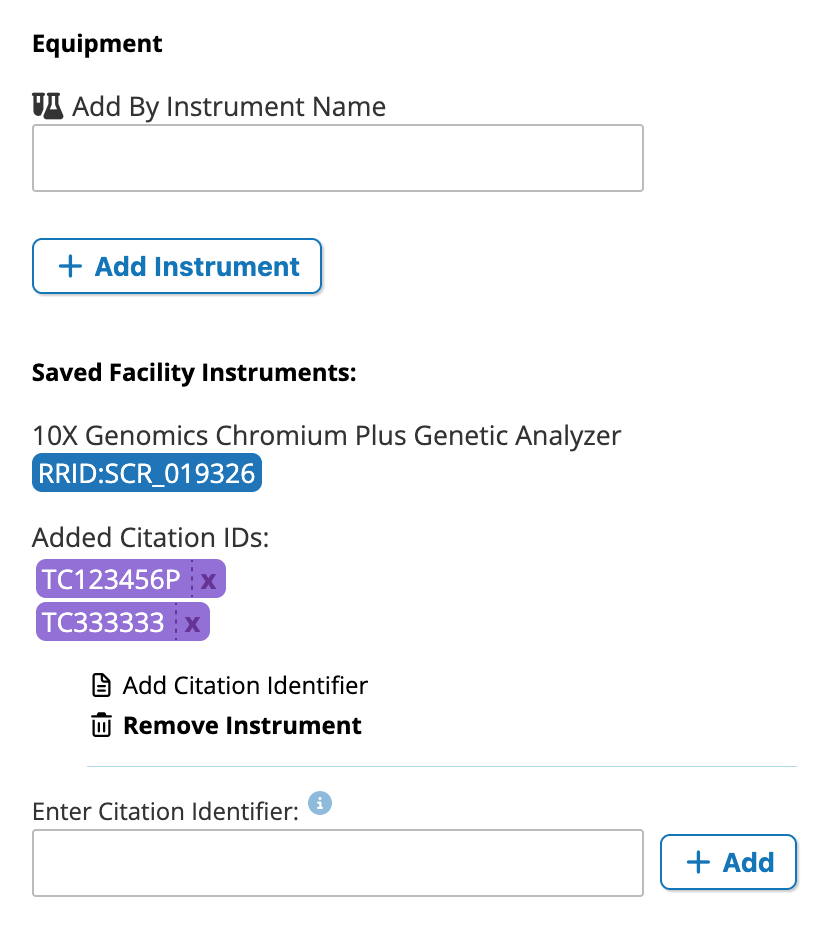
When CIDs are added to the facility profile, they are automatically appended to the "Cite This Facility" string. When CIDs are added to an instrument, they are appended to the "Cite This Instrument" string, as well as the facility RRID and all the facility CIDs, ensuring that your facility gets cited along with your instrument.
Where to Enter CIDs
CIDs can be added directly to the instrument entry under the Equipment section of your profile edit page.
Facility Citation Identifiers can be added in the "RRIDs & Identifiers" section of your edit screen.
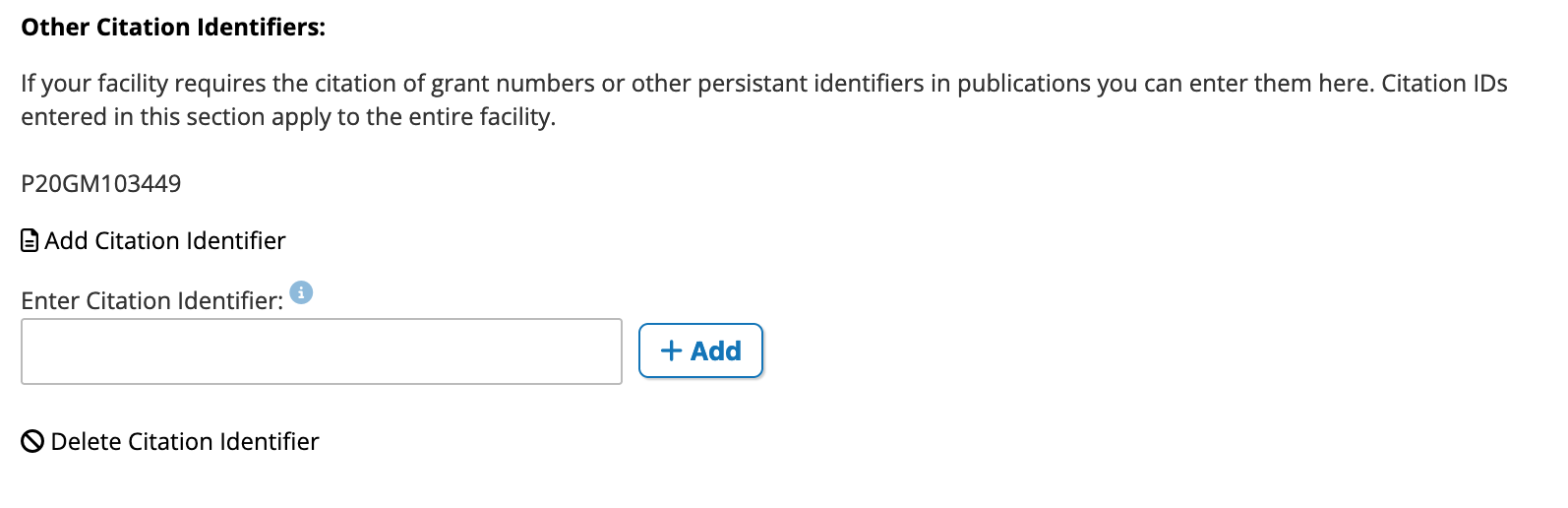
To delete a CID, click the "Delete Citation identifier" control to produce a list of entered CIDs.
Funding and CIDs
When you add a grant to your profile (see Adding Funding), the grant number or project number is automatically added as a CID to your profile. However, you may have already added this CID or the project number returned from the sponsor is slightly different than the number you have been using for citation purposes. You can easily delete these additional CIDs from your profile or add a the slightly simplier version you've been using for citation. This will help you find publications and citations related to your facility (see Managing Publications).